Programmable Dual Mix Control Setting Tutorial(RC6GS V3/RC4GS V3/RC6GS V2/RC4GS V2/RC6GS/RC4GS)
* This manual takes RC6GS as display. For those users who have bought RC4GS, please upgrade the firmware with an Android cable by following the link
https://www.radiolink.com.cn/rc4gsv3_firmware before setting the programmable dual mix control.
* Before setting, please turn on the radio and bind the receiver. The particular binding steps, please refer to the RC6GS V2 user manual https://www.radiolink.com.cn/rc6gsv3_manual [Receiver Installation and Binding].
- Identifying the button operation
Enter setting menu: Press "Exit" and "Enter" simultaneously for more than 1 second.

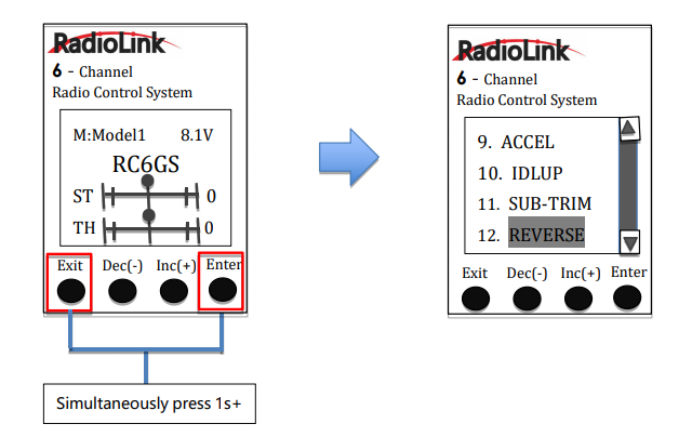
2. Selecting/Confirm/Exit: Press "Dec(-)" or "Inc(+)" to choose the item or the value you want to set=>Press "Enter" to confirm the selected item and it starts to flash => Press "Dec(-)" or "Inc(+)" to select again=> Press "Enter" to confirm => Press "Exit" to quit.
* By default, RADIOLINK RC6GS needs to be set up to realize its programmable dual mix control function after binding with dual-engine model (e.g., Tracked vehicle).
Working theory of tracked vehicles
RC Cars: One executive unit of radio controls the movement of a car (e.g., Steering wheel to Ch1-Direction to turn left/right). Every R/C channel operation and every executed unit of car is ONE TO ONE.

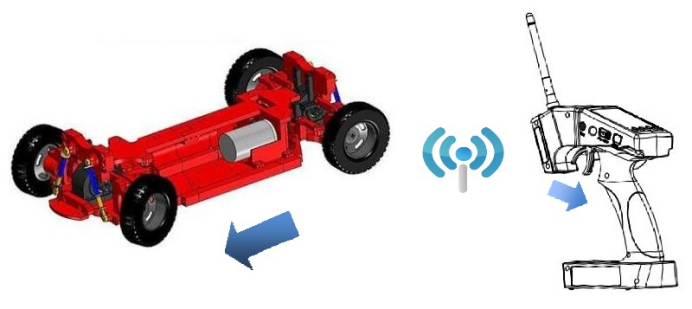
When pulling the trigger, the car moves forward
Dual-engine Models: Being a dual-engine category, a tracked vehicle has two motors, and each track is driven by each motor.

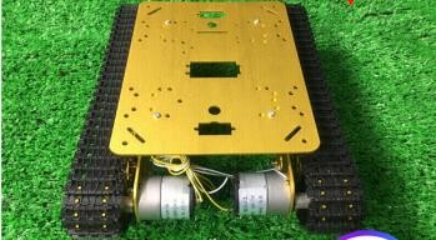
Mix Control: The throttle (a function) on R/C monitors two motors (two execute units) move forward/backward simultaneously. That is, ONE TO TWO mix control. On the other hand, the turning of the steering wheel makes one motor forward while the other backward at the same time to achieve direction turning. Same as ONE TO TWO mix control.
Dual Mix Control: As controlling dual-engine vehicles drive forward/backward and turn left/right, two mix controls at the same time are needed. RADIOLINK RC6GS V2 has two programmable mix controls.
Reverse Setup before Mix Control Setup
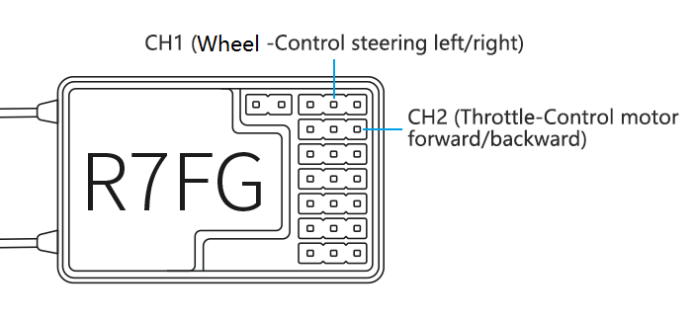
Before setting the mix controls, please check if the reverses are working correctly by testing their wheel and throttle. Take steering wheel-- left track (Ch1 on receiver) and throttle--right track (Ch2 on receiver) as examples.

Throttle Reverse: NOR-REV
Hold RC6GS V2 as the picture below. Normally, when pulling the throttle, the right track should be moving forward while pushing the throttle, and the right track should be backward.

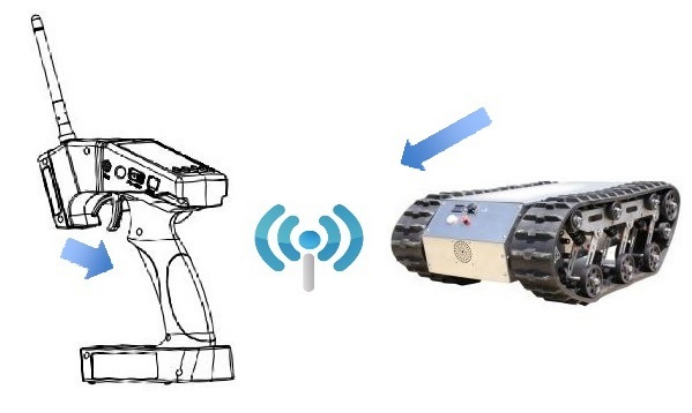
Pull the throttle, right track moves forward, left track remains still
If pulling the throttle and the left track moves backward, or pushing the throttle and the left track moves forward, meaning the initial throttle is reversed and needs to be set. Please refer to the “button operation” and get into the interface below to complete the setup.

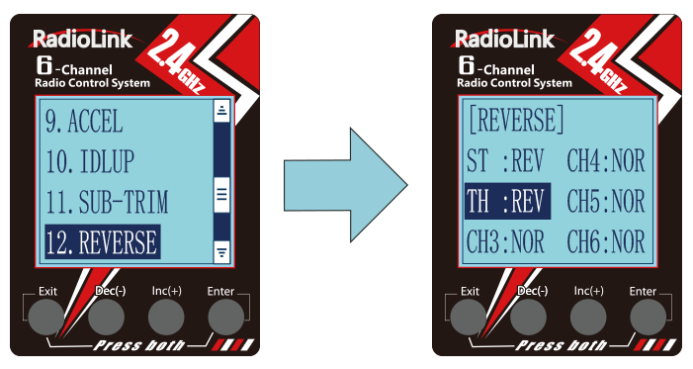
* If the throttle reverse is correct, skip this throttle reverse setup.
Steering Reverse: NOR/REV
Hold RC6GS V2 as the picture below. Normally, if turn the wheel right/clockwise, the left track should be moving forward while turn the wheel left/anticlockwise and the left track should be backward.

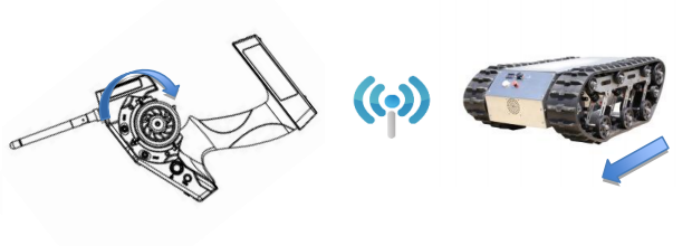
Turn the wheel clockwise. The left track moves forward, the right track remains still.
If turning the wheel right and the right track moves backward, or turning the wheel left and the right track moves forward, meaning the initial steering is reversed and needs to be set. Please refer to the “button operation” and get into the interface below to complete the setup.

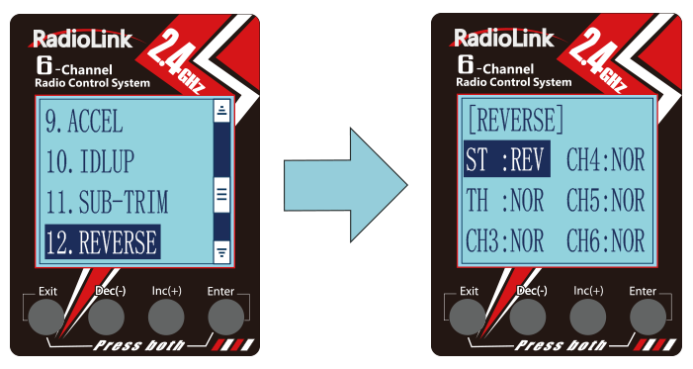
* If the steering reverse is correct, skip this steering reverse setup.
After setting the throttle/ steering reverse, then mix control can be set.
Mix Control Setup
Throttle mix steering: Tracked vehicles moving forward/backward
As tracked vehicles moving forward/backward are controlled by throttle, throttle leads steering in the mix control. That is, Master-Throttle, Slave-Steering. Please refer to the “button operation” and get into the interface below to complete the setup.
Percentage value varies the speed; "+" means Master and Slave move in the same direction at the same time.

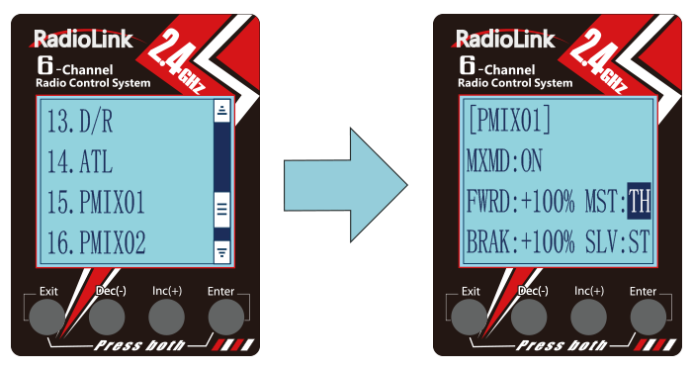

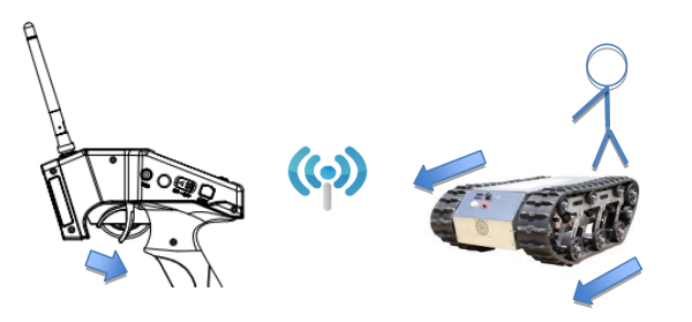
Throttle mix steering setup completed. Both tracks move forward when pulling the throttle
Steering mix Throttle: Tracked vehicles turning left/right
As tracked vehicles turning left/right are controlled by steering, steering leads throttle in the mix control. That is, Master-Steering, Slave-Throttle. Please refer to the "button operation" and get into the interface below to complete the setup.
Percentage value varies the turning angle; "-" means Master and Slave move to different directions at the same time

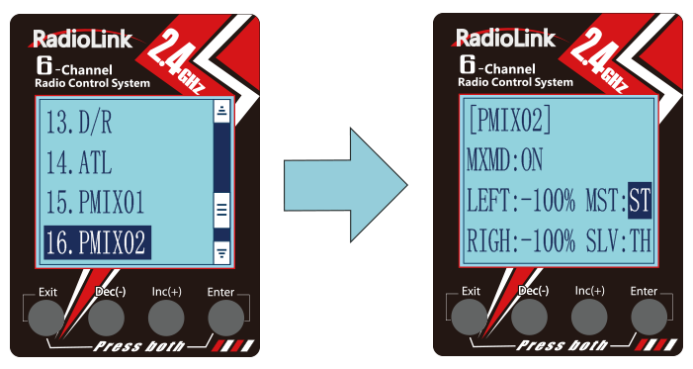

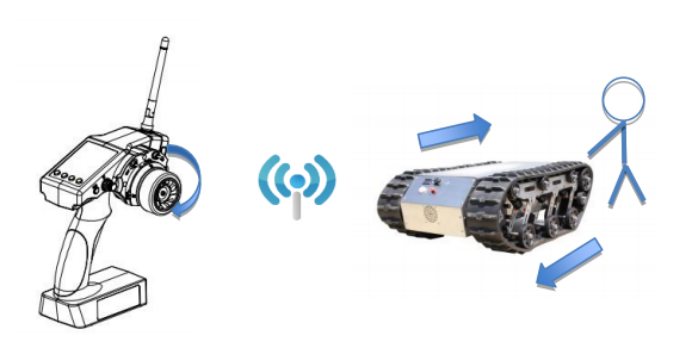
Steering mix throttle setup completed; left track moves forward while right moves backward when turning the wheel clockwise. The differential realizes the right turning of the track vehicle.
If you have any questions regarding this manual, please contact after_service@radiolink.com.cn for further details.